How to Use Text Diff — A Complete Guide
<h1>How to Use Text Diff — A Complete Guide</h1> <p>Imagine this: You’re reviewing a revised NDA with your legal team, but the client’s edits are buried in...
Imagine this: You’re reviewing a revised NDA with your legal team, but the client’s edits are buried in a sea of redlines. Your boss needs a clear summary of changes by 3 PM. Copy-paste isn’t working — the formatting is a mess, and you’re missing critical details. This is where Text Diff becomes essential. It doesn’t just compare text; it identifies every change with surgical precision. Let’s walk through how it works and why it’s your best bet for text comparisons.
What Is Text Diff and Why It Matters
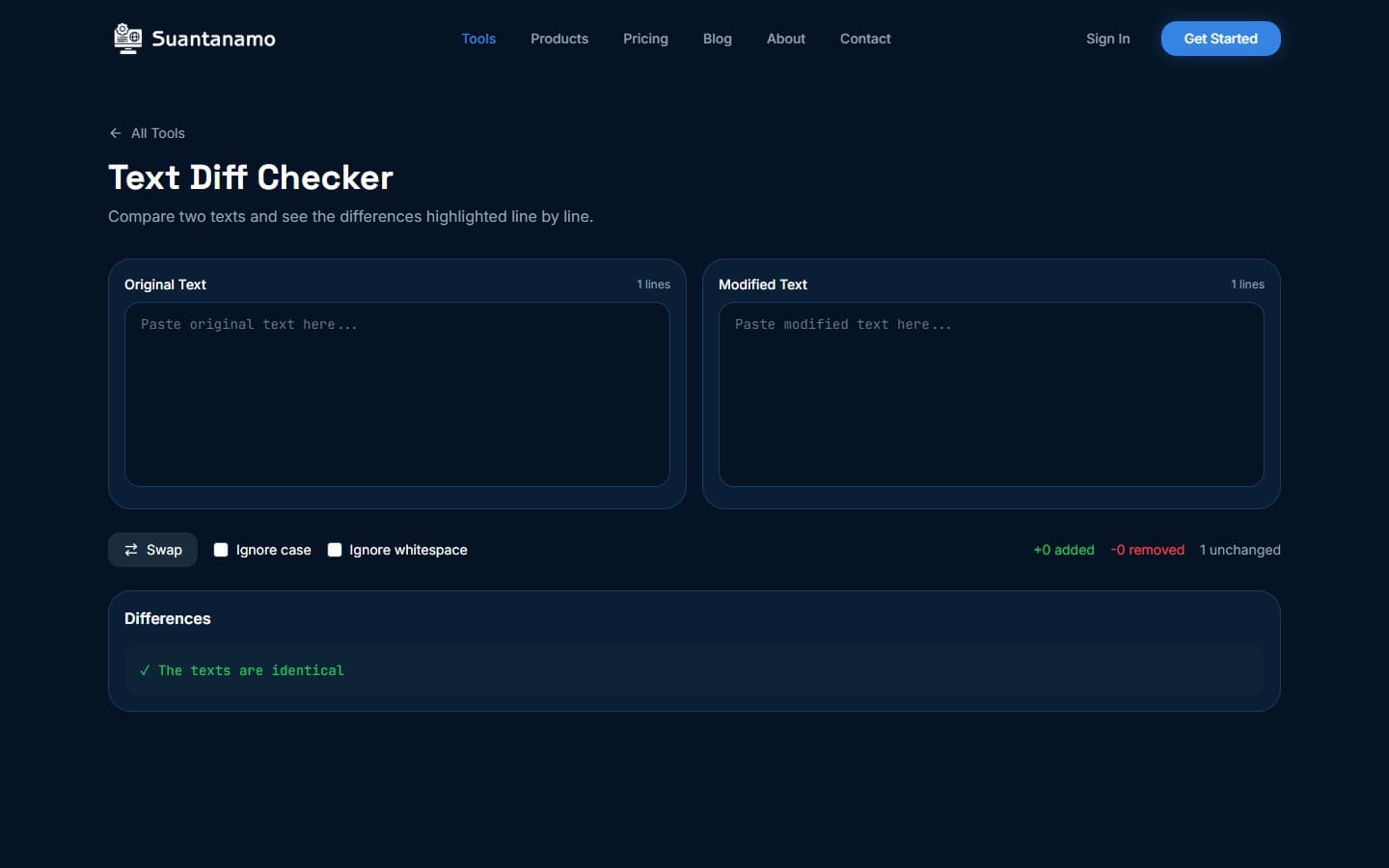
Text Diff is a browser-based tool that compares two text files side by side, highlighting additions, deletions, and modifications. Unlike basic editors, it doesn’t just mark “changes” in vague terms. It shows exactly which lines were altered, removed, or added. This level of detail is critical for tasks like reviewing code commits, auditing legal documents, or tracking edits in collaborative writing projects.
Here’s the kicker: everything happens in your browser. No files are uploaded to servers, no data leaves your device. This means you can trust the tool with sensitive information — like the latest version of your company’s privacy policy — without worrying about leaks. It’s also fast. Even 100,000 lines of text are processed in under 3 seconds, not minutes.
How to Use Text Diff: Step-by-Step
Using Text Diff is simple, but the steps matter. Here’s how to do it right:
- Open the tool: Go to https://suantanamo.com/text/diff and click “Compare Text.”
- Upload files: Drag and drop both text files into the designated areas. The tool automatically detects line breaks and formatting, so no need to preprocess them.
- Review the diff: The tool highlights differences in three colors: green for additions, red for deletions, and yellow for modifications. Hover over any line to see the exact change.
- Export results: If you need a record, click “Export” to download a formatted diff file. This is useful for sharing with team members or archiving changes.
For example, if you’re comparing two versions of a CSV file with 500 rows, Text Diff will show you which rows were modified. If you’re reviewing a GitHub pull request, it’ll pinpoint the exact lines of code that changed. The tool doesn’t care about the file type — just the text.
Practical Use Cases
Let’s get specific. Here are real scenarios where Text Diff shines:
- Code reviews: Compare a developer’s commit to the previous version. You’ll see exactly which lines were changed, making it easier to catch bugs or unnecessary edits.
- Legal documents: Track changes in a contract or agreement. If the client added a clause about data privacy, Text Diff will highlight it instantly.
- Collaborative writing: When multiple authors edit a document, Text Diff shows who changed what. This is especially useful for academic papers or reports with multiple contributors.
- Version control: If you’re working with a team and need to merge changes from different branches, Text Diff helps identify conflicts without manual guesswork.
One thing to note: Text Diff doesn’t handle binary files. If you’re working with PDFs or images, consider tools like Compress PDF or Compress Images first. These tools reduce file size without losing quality, making it easier to share or edit large documents.
Tips for Effective Use
Here’s how to get the most out of Text Diff:
- Use consistent formatting: If the files have different line breaks or indentation, the tool might misinterpret changes. Always format the text uniformly before comparing.
- Highlight only what matters: If you’re reviewing a long document, use the “Filter” option to focus on specific sections. This saves time and reduces cognitive load.
- Combine with other tools: For complex workflows, pair Text Diff with tools like Merge PDF or Split PDF. For instance, if you need to compare two versions of a merged PDF, split it into text files first.
- Test with small files first: If you’re unsure about the tool’s accuracy, start with a short text file. This helps you understand how it handles edge cases like special characters or Unicode.
And remember: no data leaves your device. This means you can use Text Diff for anything from personal notes to corporate secrets without privacy concerns.
Why Text Diff Is Better Than Copy-Paste
Let’s face it: Copy-pasting two versions of a document and trying to spot differences is a nightmare. You end up with a wall of text, missing lines, and no clear indication of what changed. Text Diff solves this by:
- Automating the process: It eliminates the need for manual line-by-line comparisons, which are error-prone and time-consuming.
- Providing context: The tool shows the exact line numbers and highlights changes, making it easier to understand the scope of edits.
- Preserving formatting: Unlike some tools that strip formatting, Text Diff maintains the original structure of the text, so you don’t lose critical details.
For example, if you’re comparing two versions of a CSV file and a line is missing, Text Diff will show it as a deletion. This is far more reliable than trying to count lines in a spreadsheet.
Other Tools That Complement Text Diff
Text Diff is powerful, but it’s not a standalone solution. Here are other SeaTools that work well with it:
- Compress PDF: If you’re comparing PDFs that are too large to handle, compress them first using https://suantanamo.com/pdf/compress. This reduces file size without losing quality, making it easier to edit or share.
- Split PDF: If you’re dealing with a multipage document, split it into smaller files using https://suantanamo.com/pdf/split. This makes it easier to compare specific sections.
- PDF to Images: For documents that include images or tables, convert them to images using https://suantanamo.com/pdf/to-images. This preserves visual details that text-based tools might miss.
These tools are all browser-based and process files locally, ensuring your data stays private. They’re also free to use, which is a big plus for indie developers and small teams.
Final Thoughts
Text Diff is a game-changer for anyone who needs to compare text files. Whether you’re a developer, a legal professional, or a writer, it saves time, reduces errors, and keeps your data secure. The key is to use it correctly — with consistent formatting, filtered views, and complementary tools when needed.
So next time you’re faced with two versions of a document, don’t reach for the copy-paste shortcut. Open Text Diff, let it do the heavy lifting, and focus on what really matters: understanding the changes.
2026 Suantanamo Corp. All rights reserved.